
Download MenuTab – Fast Facebook Access, Free & Secure Menu‑Bar App
Overview
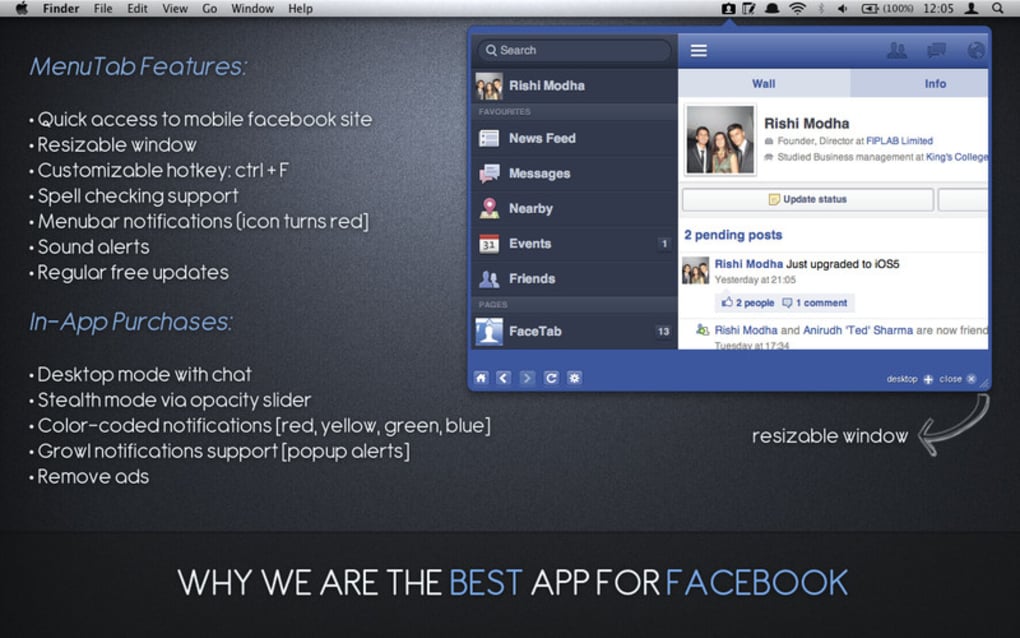
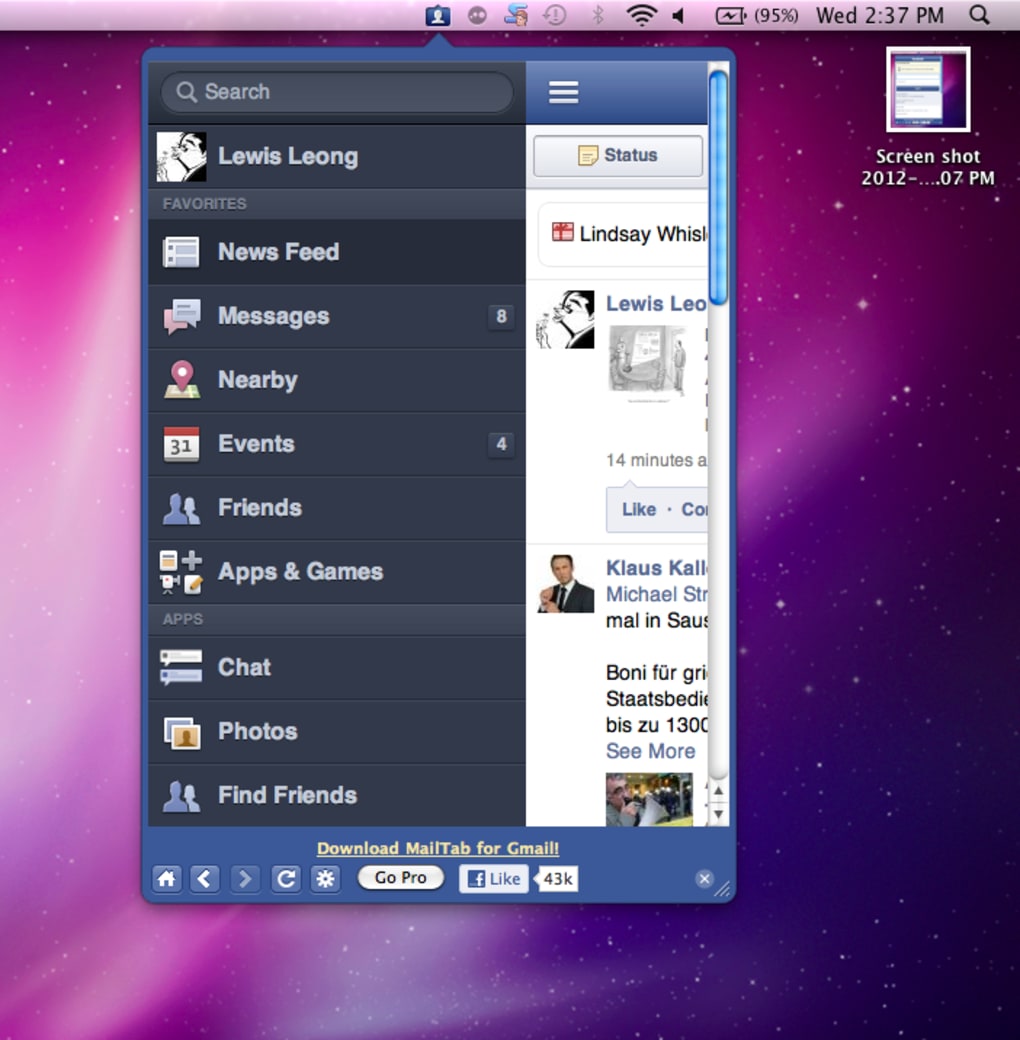
MenuTab for Facebook is a lightweight utility that lives in your Mac menu bar, giving you instant access to the social network without the need to open a full‑size browser window. Designed for power users and casual scrollers alike, the app places a small Facebook icon at the top of your screen; the icon glows red as soon as a new notification, message, or friend request arrives. You can also assign a custom keyboard shortcut, so a single keystroke brings the Facebook feed directly to your fingertips.
While MenuTab mirrors the mobile version of Facebook, it retains essential features such as News Feed, Messenger chats, and link previews. The free version includes unobtrusive ads at the bottom of the window, whereas the optional MenuTab Pro unlocks advanced notification colors, a resizable window, gesture support, and a refined chat interface. Whether you’re juggling multiple projects, monitoring a brand page, or simply don’t want to miss any updates, MenuTab delivers a convenient, always‑on‑hand Facebook experience that blends seamlessly into the macOS environment.
Key Features & Functionality
- Menu‑Bar Presence: A permanent Facebook icon lives in the menu bar, offering one‑click access.
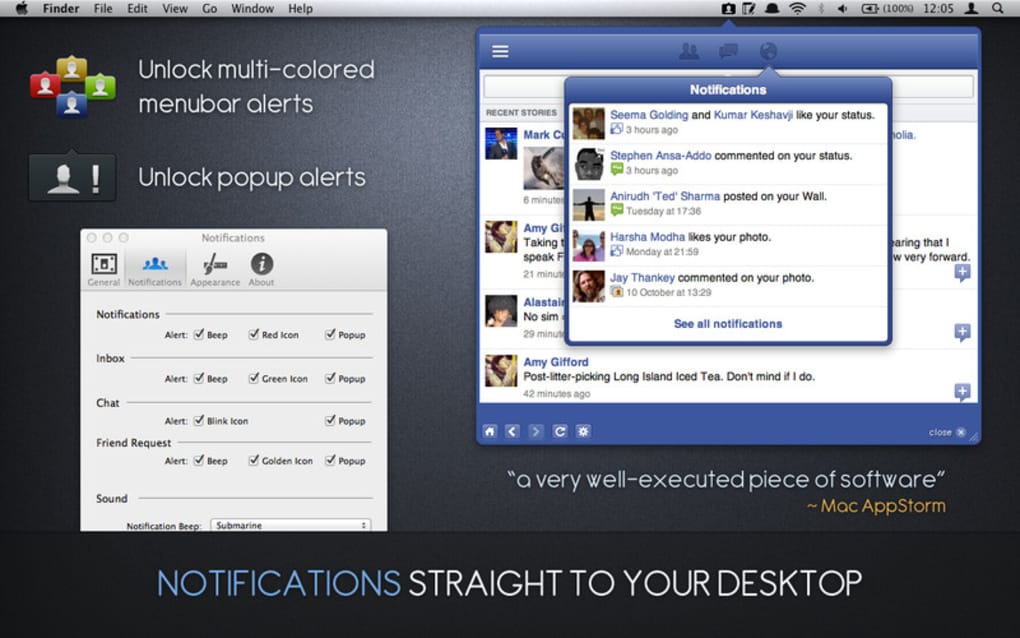
- Real‑Time Notifications: Red badge lights up instantly for new messages, comments, likes, and friend requests.
- Custom Keyboard Shortcut: Define your own hotkey to open MenuTab in a split second.
- Mobile‑Style Interface: The app loads Facebook’s mobile site, preserving familiar navigation and layout.
- Quick Link Handling: Clickable links open in your default browser, with a brief warning about leaving Facebook.
- Free Version with Ads: Access core functionality at no cost; non‑intrusive ads appear at the bottom of the window.
- MenuTab Pro Upgrade: Offers color‑coded notifications, an enlarged and resizable window, improved chat UI, and multi‑finger gesture support for a premium experience.
- Secure Updates: Automatic, signed updates keep the app safe and compatible with the latest macOS releases.
The feature set focuses on speed and minimalism. By leveraging the mobile Facebook page, MenuTab loads quickly, consuming far less RAM than a full browser tab. The notification system works in the background, ensuring you’re always aware of activity without the distraction of a pop‑up or sound. For users who need a persistent Facebook presence while working in other apps, the menu‑bar design is ideal. The Pro version’s color‑coded alerts let you differentiate between messages, event invites, and page insights at a glance, a small but powerful productivity boost.
Installation, Usage & Compatibility
Getting MenuTab up and running is straightforward. First, visit the official website and click the “Download for macOS” button. The installer is a signed .dmg file, so macOS Gatekeeper will verify its authenticity automatically.
After opening the disk image, drag the MenuTab icon into your /Applications folder. The first launch may prompt you to allow network access; this is required for real‑time notifications and link handling. Once granted, the app adds itself to the menu bar, and you’ll see a small blue Facebook icon.
To customize the shortcut, open the app’s preferences (click the gear icon in the menu‑bar dropdown). Here you can assign any key combination, enable launch on login, and toggle the Pro features if you’ve purchased a license. The free version works out‑of‑the‑box, while the Pro upgrade unlocks the additional settings described earlier.
MenuTab is built exclusively for macOS 10.13 (High Sierra) and later, including Apple Silicon (M1/M2) machines. The app runs natively on both Intel and ARM architectures, thanks to a universal binary distribution. While there is currently no Windows, Linux, Android, or iOS version, the macOS focus allows developers to fine‑tune performance and integrate tightly with the system’s menu‑bar APIs.
After installation, simply click the menu‑bar icon or use your shortcut to reveal a compact window that displays your Facebook feed. You can scroll, like posts, and reply to messages directly. The chat interface requires you to click “Reply” for each message, a minor inconvenience compared to the desktop version, but the speed of access compensates for it. For power users, the Pro version’s resizable window reduces the need for repetitive clicking, making long conversations more comfortable.
Pros, Cons & Frequently Asked Questions
Pros
- Instant access from the menu bar saves time.
- Lightweight and fast; consumes minimal system resources.
- Real‑time notification badge keeps you informed.
- Custom keyboard shortcut enhances workflow efficiency.
- Free version available with basic functionality.
- Pro upgrade adds valuable customization and better chat UI.
Cons
- Relies on the mobile Facebook site, which lacks some desktop features.
- Free version displays ads at the bottom of the window.
- Chat requires clicking “Reply” for each message; no Enter‑to‑send shortcut.
- No native Windows, Linux, Android, or iOS versions.
- Link warnings appear when navigating away from Facebook.
Frequently Asked Questions
Is MenuTab safe to use with my Facebook account?
Yes. MenuTab loads the official mobile Facebook site over HTTPS, and the app does not store your login credentials. All authentication is handled directly by Facebook’s servers.
Can I disable the ads in the free version?
Ads are part of the free offering. To remove them, you need to purchase the MenuTab Pro license, which also unlocks additional features.
Does MenuTab work on Apple Silicon Macs?
Absolutely. The installer includes a universal binary that runs natively on both Intel and Apple Silicon (M1/M2) machines.
How do I upgrade to MenuTab Pro?
Open the app’s preferences, click the “Upgrade to Pro” button, and follow the secure checkout process. Once the license is validated, Pro features activate instantly.
Can I use MenuTab while offline?
MenuTab requires an internet connection to load Facebook content and receive notifications. Offline use will show a placeholder message until connectivity returns.
Conclusion & Call to Action
MenuTab fills a niche that many macOS users have long wanted—a quick, always‑visible gateway to Facebook that lives right in the menu bar. Its lightweight design, instant notification badge, and customizable shortcut make it a productivity booster for anyone who needs to stay on top of social updates while working on other tasks. While the free version includes ads and a slightly clunky chat interface, the core experience remains solid and reliable. For power users, the affordable MenuTab Pro upgrade delivers color‑coded alerts, a resizable window, and a smoother messenger flow, making the app feel more like a native macOS component than a web wrapper.
If you’re looking for a seamless way to keep Facebook within arm’s reach without the overhead of a full browser, download MenuTab today. Start with the free version to test the workflow, and consider upgrading to Pro if you want a more polished experience. Click the download button below, install the signed .dmg, set your preferred shortcut, and enjoy real‑time Facebook notifications right from your menu bar.
Download MenuTab now and stay connected effortlessly.







